What it looks like
Screenshots of the plugin at work, taken in a real WordPress. The admin panel is in Spanish because that is the language of the test administrator; the text the plugin writes on the site comes out in the language of the site.
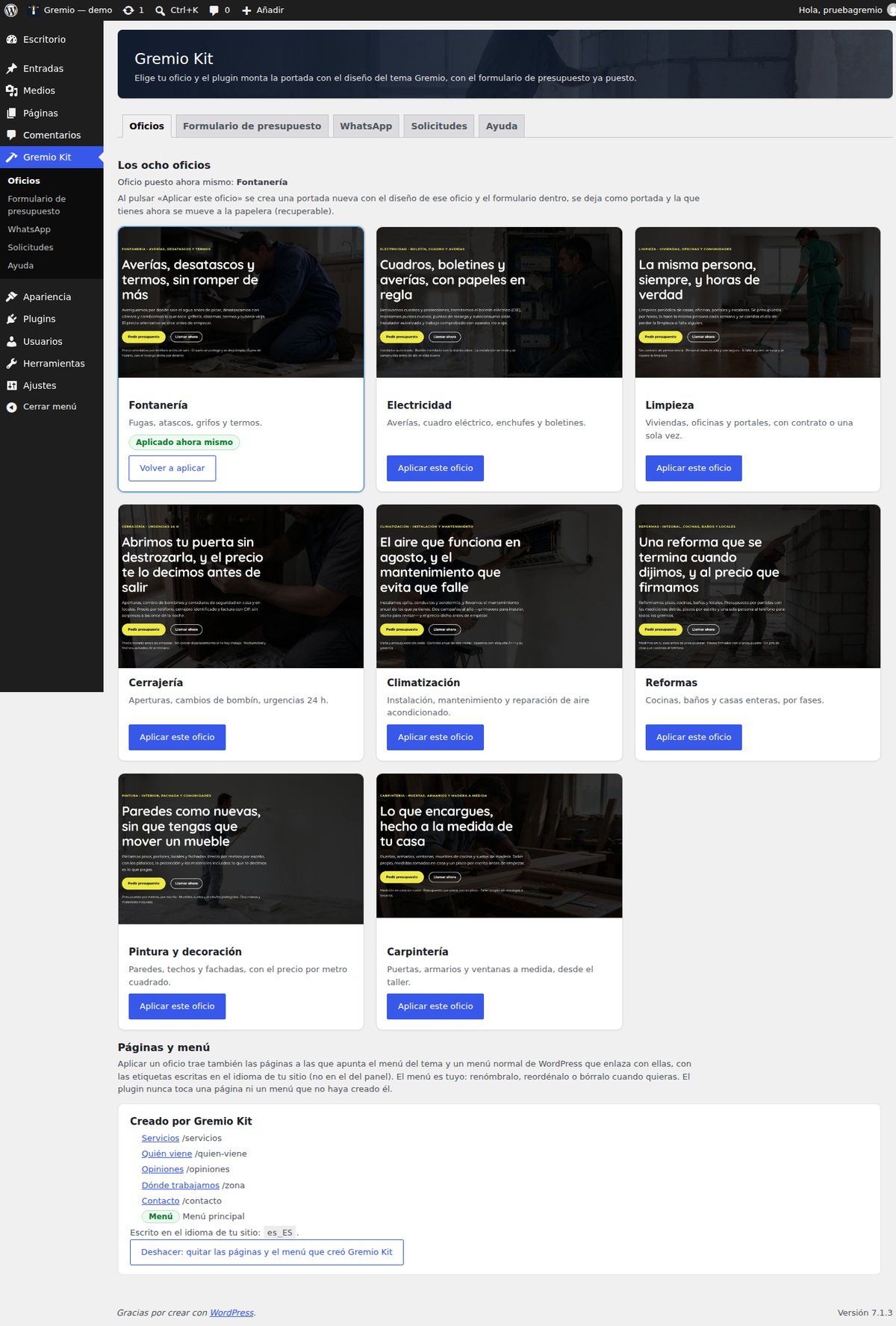
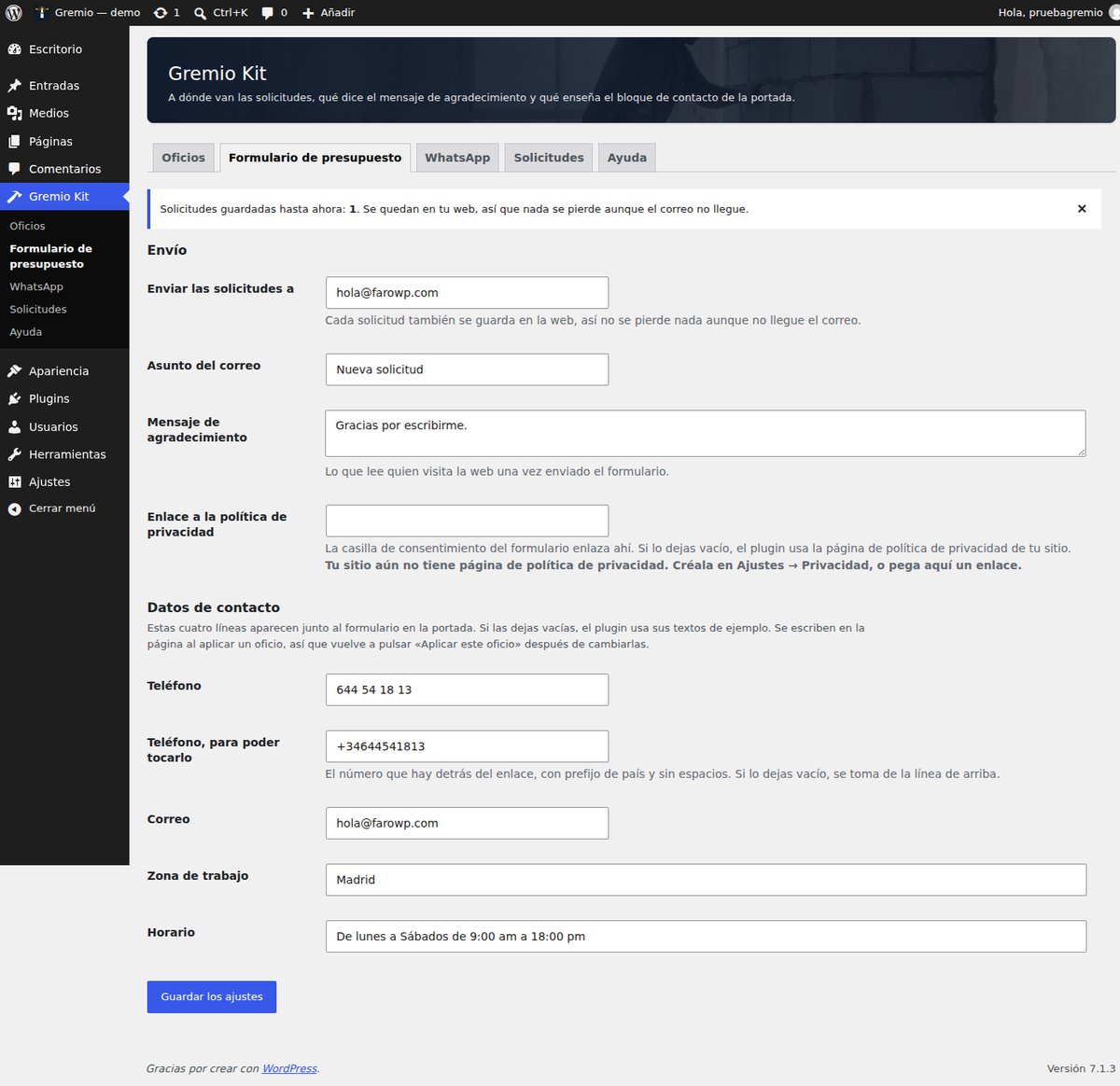
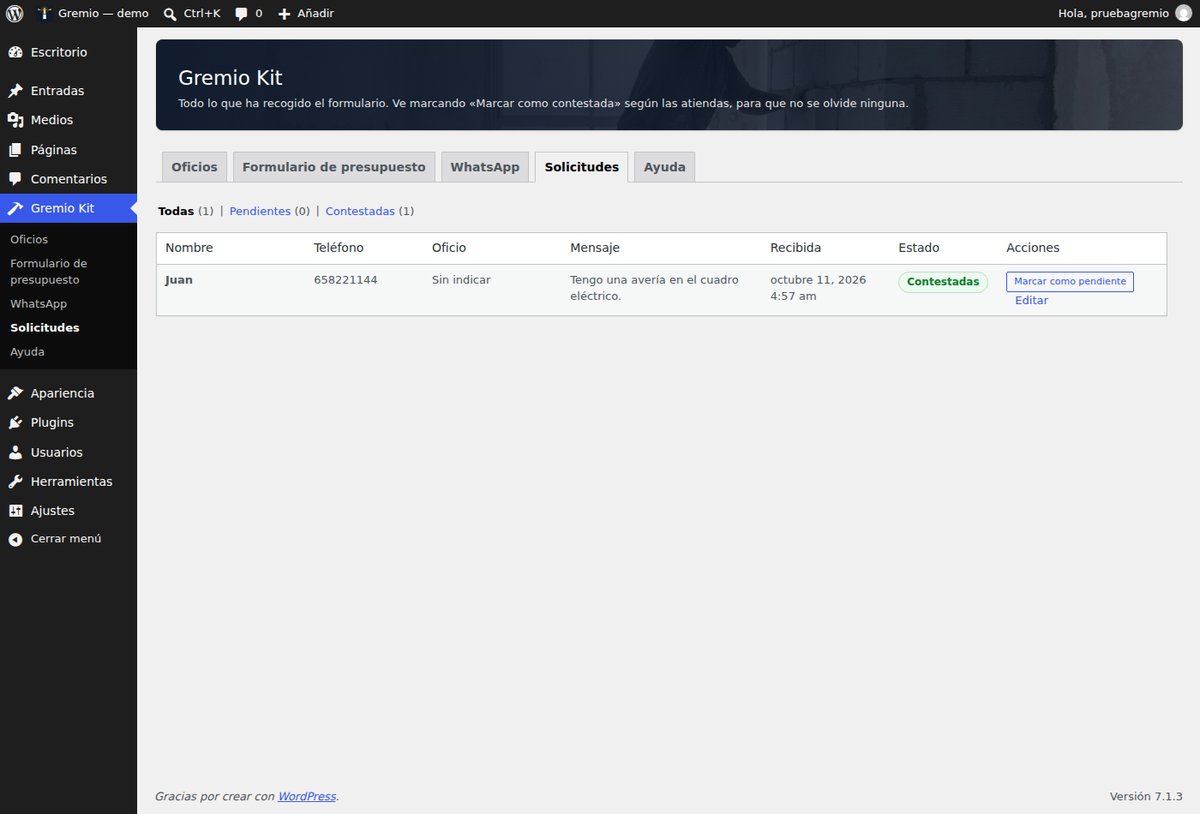
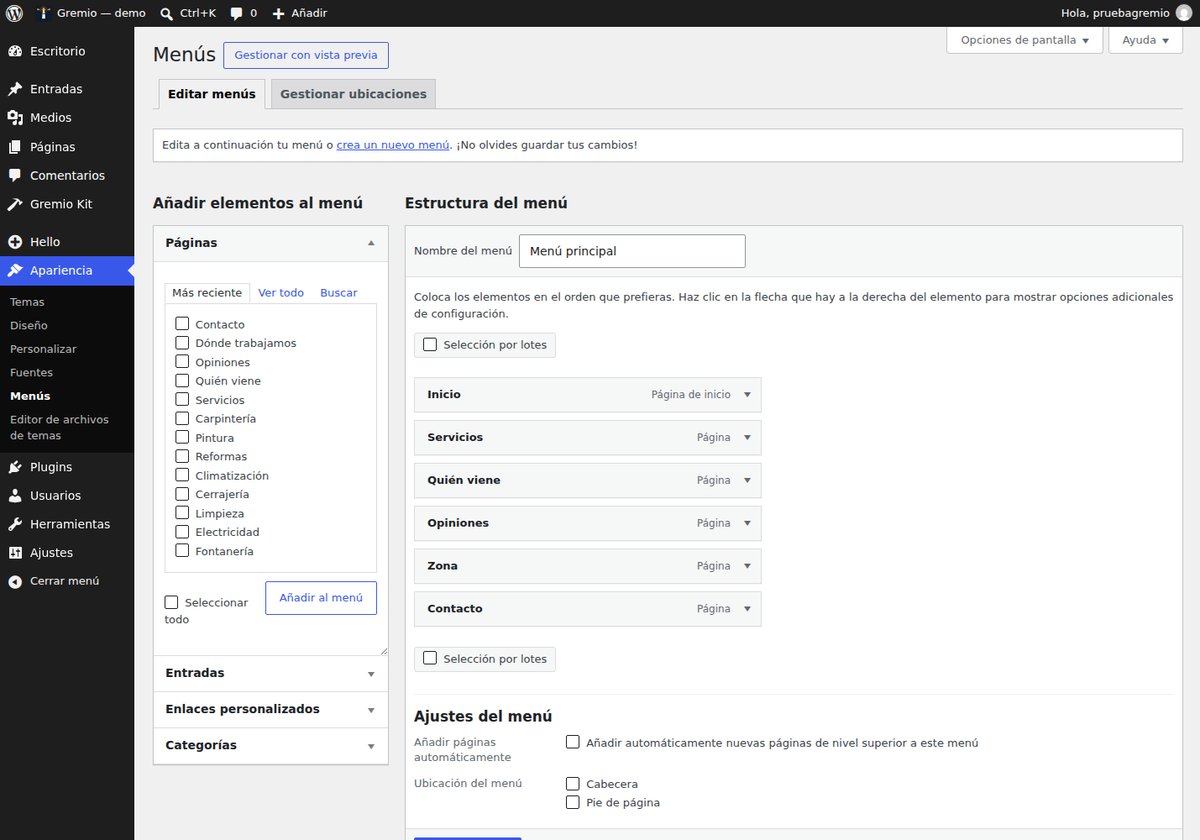
FREE PLUGIN
The companion plugin for the Gremio theme. Two clicks and you have the home page, the five inner pages, the menu, the quote form and the WhatsApp button. After that, everything is yours to change.
Download Gremio Kit 0.4.1 (free) How to use it, step by step
Version 0.4.1 · WordPress 6.5 or later · PHP 8.1 or later · GPL v2 or later licence · Needs the Gremio theme active.
You pick one of the eight trades the theme covers —plumbing, electrical work, cleaning, locksmithing, heating and air conditioning, renovation, painting and decorating, and carpentry— and the plugin does the boring part. Then it steps aside: the website is yours and you edit it like any other.
A panel of its own, split by function, plus two things the theme does not bring on its own.
wa.me with the message you write. Nothing is called until someone taps it:
zero requests to third parties.Screenshots of the plugin at work, taken in a real WordPress. The admin panel is in Spanish because that is the language of the test administrator; the text the plugin writes on the site comes out in the language of the site.
Explained from beginning to end, with a screenshot for every step, for someone who has never touched WordPress: installing the plugin, choosing the trade, seeing what it created, the form, the WhatsApp button, the requests, and what to do if you change your mind.
Gremio Kit 0.4.1, in a zip you upload to WordPress just as it is (Plugins → Add New → Upload Plugin).
Download Gremio Kit 0.4.1 See the SHA-256 checksum The Gremio theme (free)
Package checksum (SHA-256): cbdcf77a52f2741a6069db5af03c0cbe32fa039ec0d0691ec290adba0a6d08ae
Gremio Kit brings no designs of its own: it takes them from the Gremio theme. Before touching anything it checks which theme is active; with any other theme it does not apply a trade, create pages or build a menu. If you activate it without Gremio, it deactivates itself and tells you why; and if you switch theme later, it stops acting until Gremio is back. It never deletes a page or a menu it did not create.
We tell you what ships by email: new versions, security notices and offers. One email a month at most.
By signing up you agree to receive emails from FaroWP with news, new versions and offers. You can unsubscribe in one click at any time.

