FARO FACTU · TAX DETAILS
From uploading the ZIP to the tax ID showing up on the first order. With the real screens, no shortcuts and no promises.
Plugins → Add New → Upload Plugin. Pick the ZIP, install it and activate it. It asks for no account and no key.
The first time you activate it, a three-step guide appears on the settings screen itself. You can follow it or skip it: everything it tells you is also in the fields below.
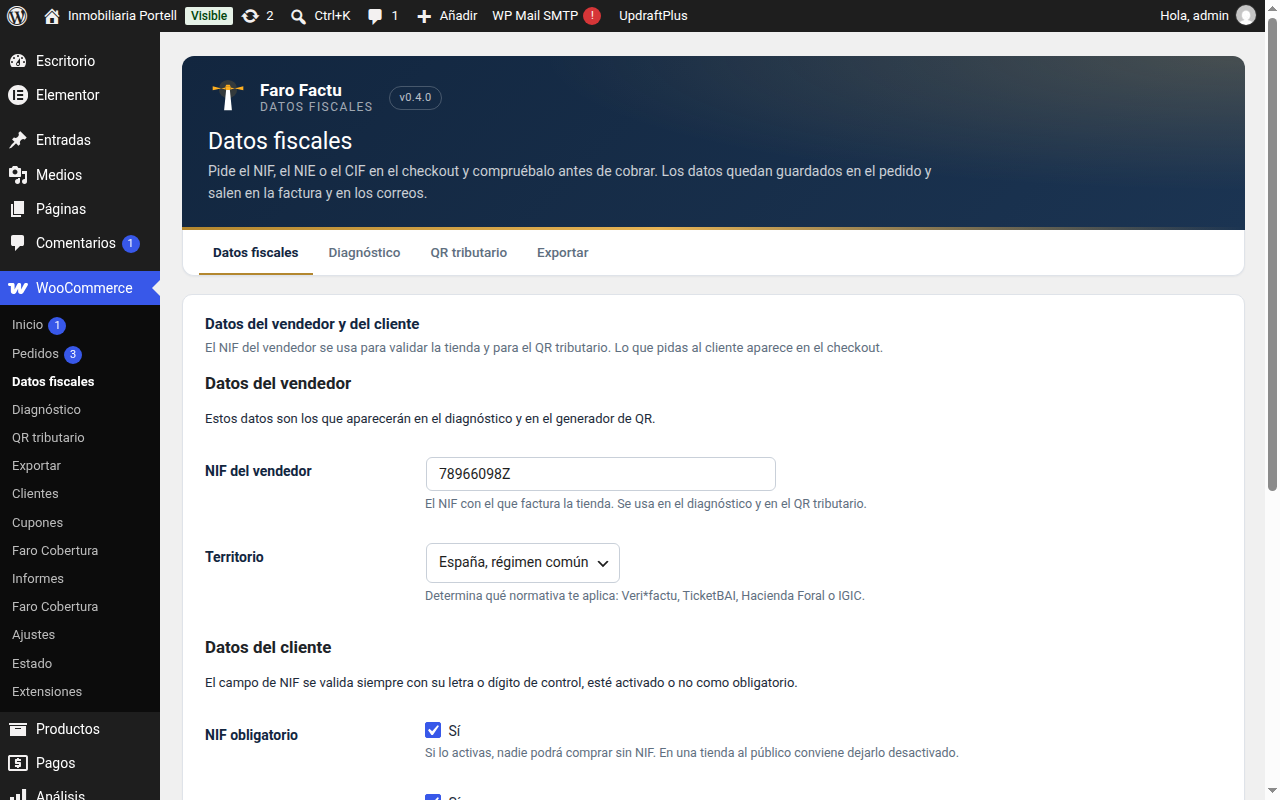
These are the two details of the seller. They are used by the diagnostic screen and by the tax QR.
If you do not have it to hand, you can leave it empty and come back later: the diagnostic screen will remind you.
Here you decide whether the tax ID is required or not, and which customer types appear at checkout.
If you only sell to individuals, leave that type and untick the others: the checkout stays with one field and does not get in the way.
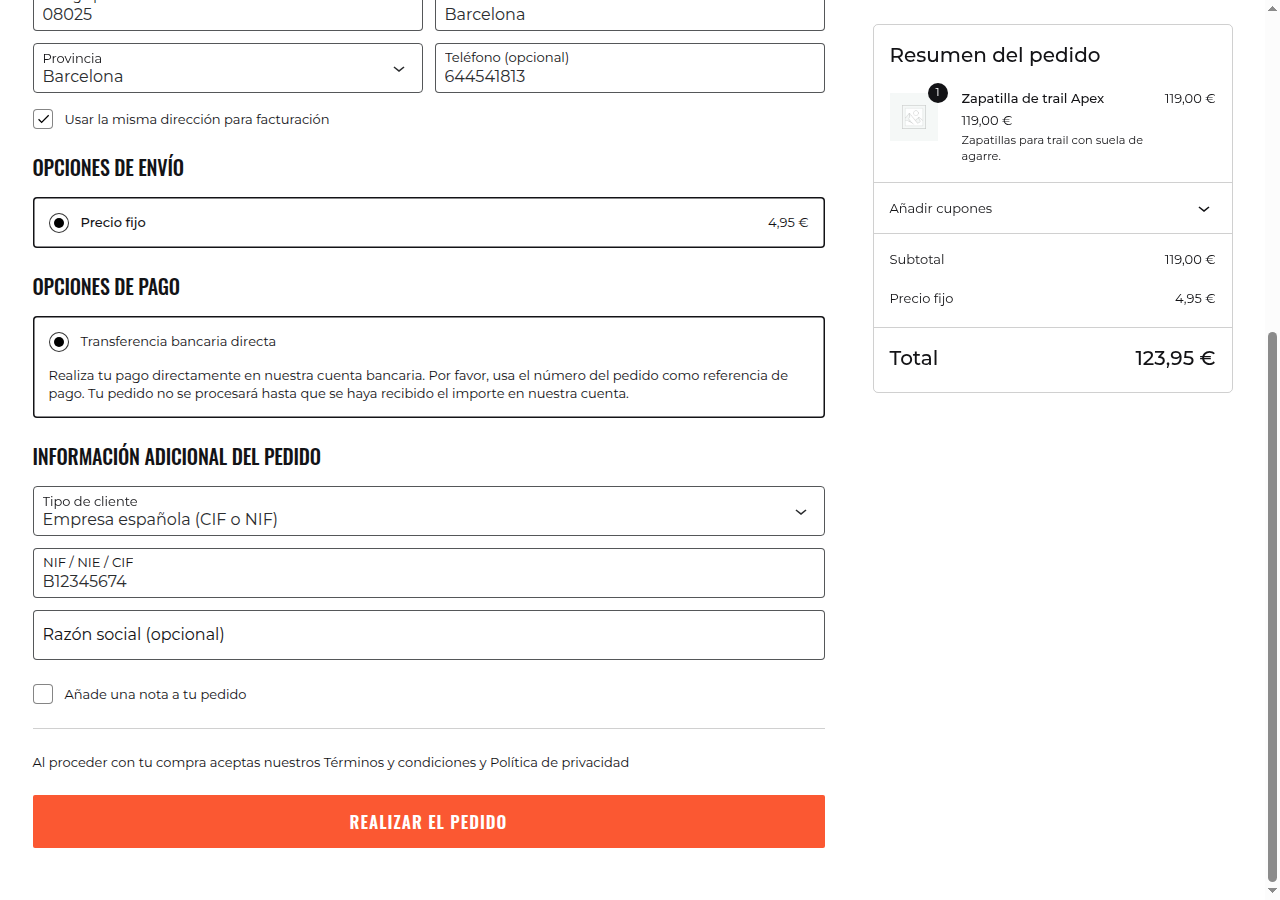
The customer chooses what they are and the field changes with them. If the document is not valid, the order does not go through until they correct it.
On the screen of every order a «Bill to» row shows the customer type, the tax ID and the company name. It is there when it is time to invoice, with no hunting through emails.
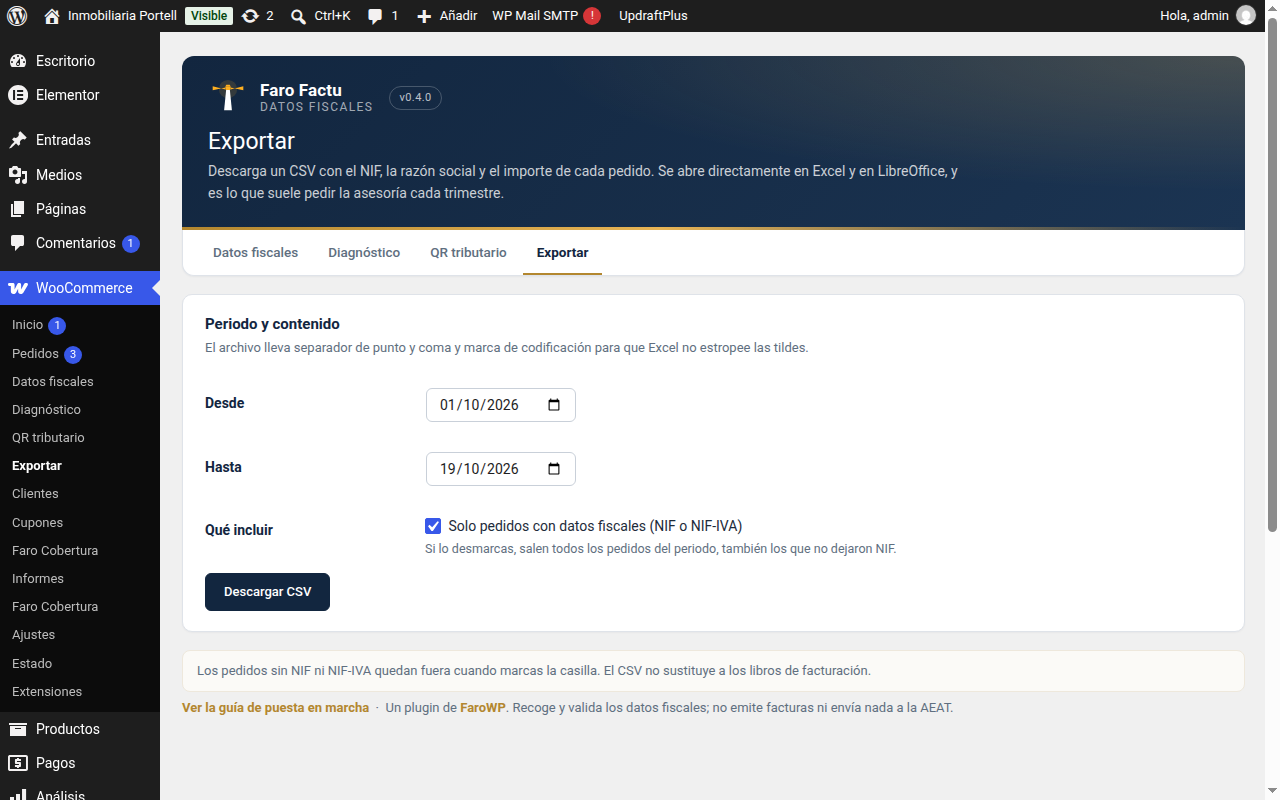
And when you want the full list, in Export you pick the period and take away a CSV with the tax details of every order.
Two screens that save calls to your accountant.
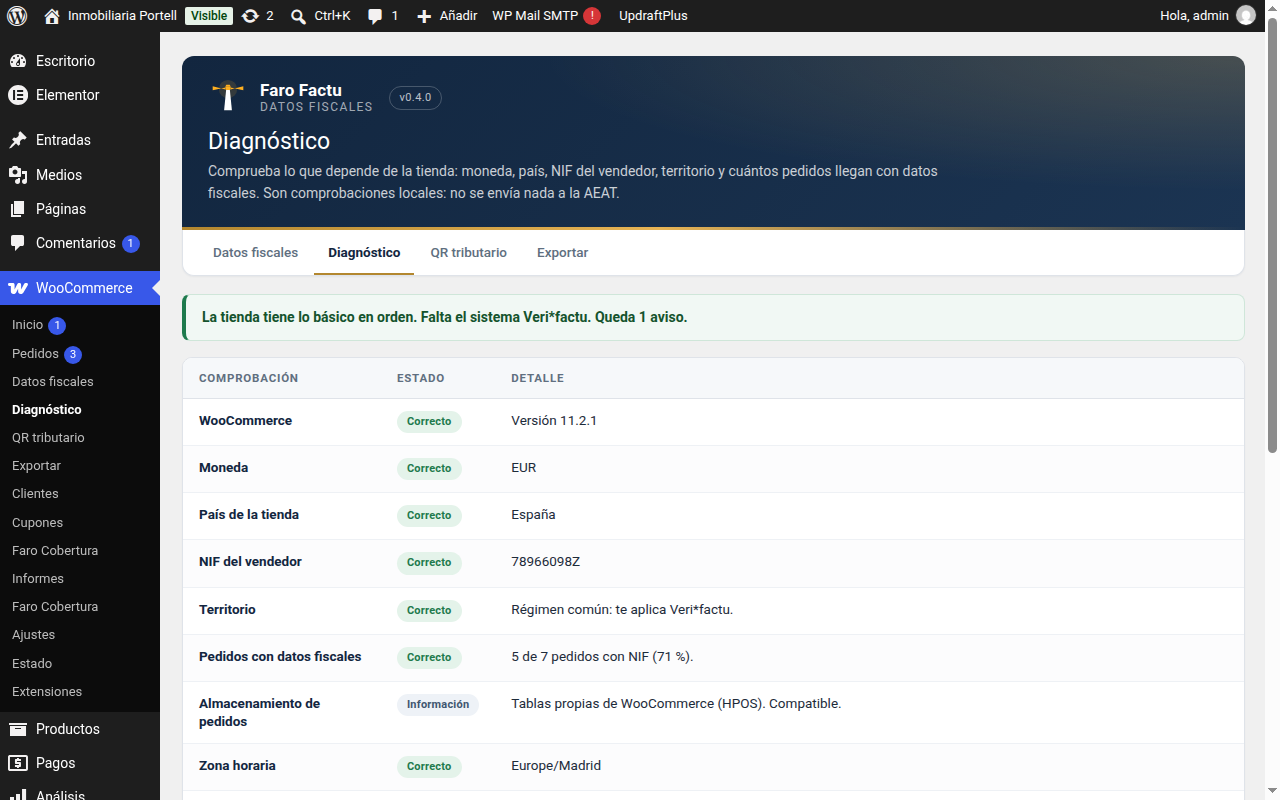
The diagnostic screen goes over what invoicing needs —the WooCommerce version, the currency, the country, your tax ID, the territory and how many orders go without details— and tells you what is fine and what is missing. It sends nothing to the AEAT: the checks are local.
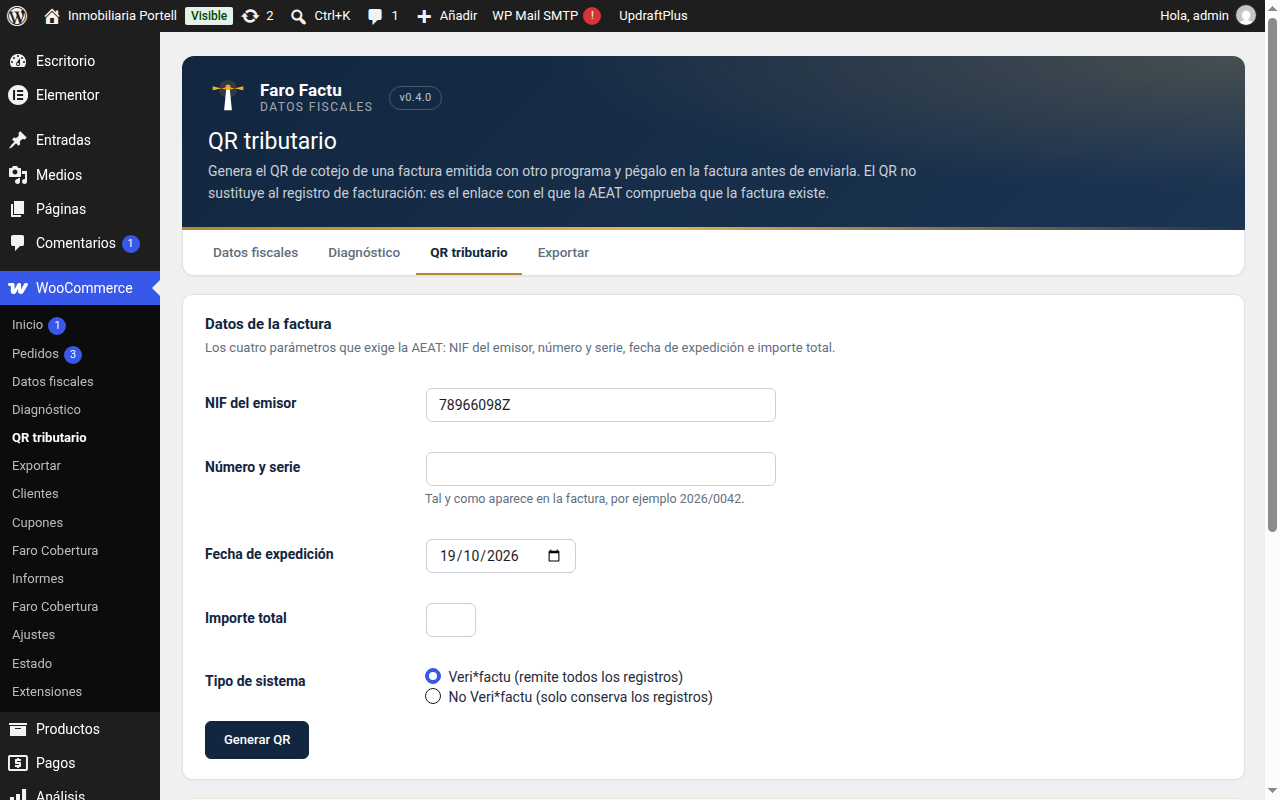
The tax QR is generated from the tax ID, the number and the amount of an invoice. It is there to print it on the document or to check that the details add up.
Faro Factu – Tax Details collects, validates and sorts. It does not issue invoices, it does not number, it does not chain records and it sends nothing to the tax agency.
If what you need is to issue and comply with Veri*factu, that is Faro Factu SIF, which is another product and is installed separately.
New versions, security notices and offers. Rare and useful: one email a month at most.
By signing up you agree to receive emails from FaroWP with news, new versions and offers. You can unsubscribe in one click at any time.