A look inside
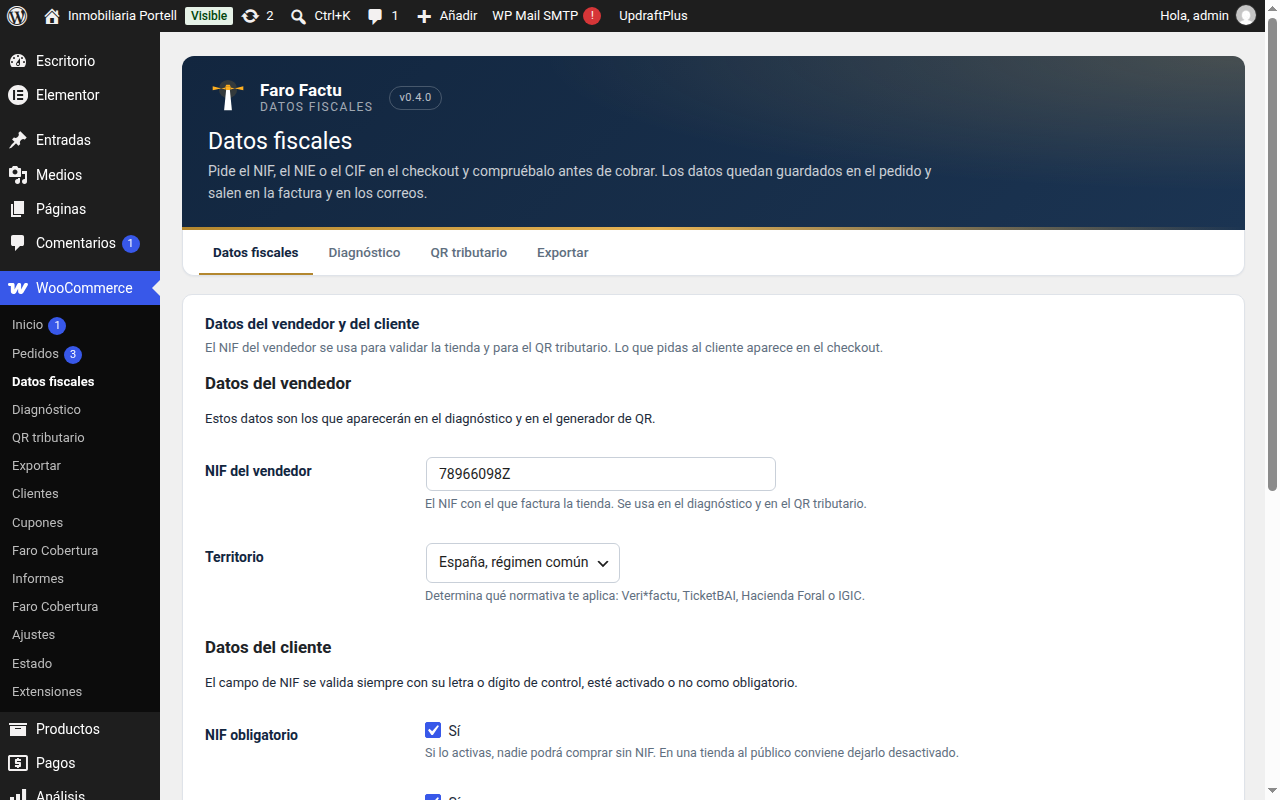
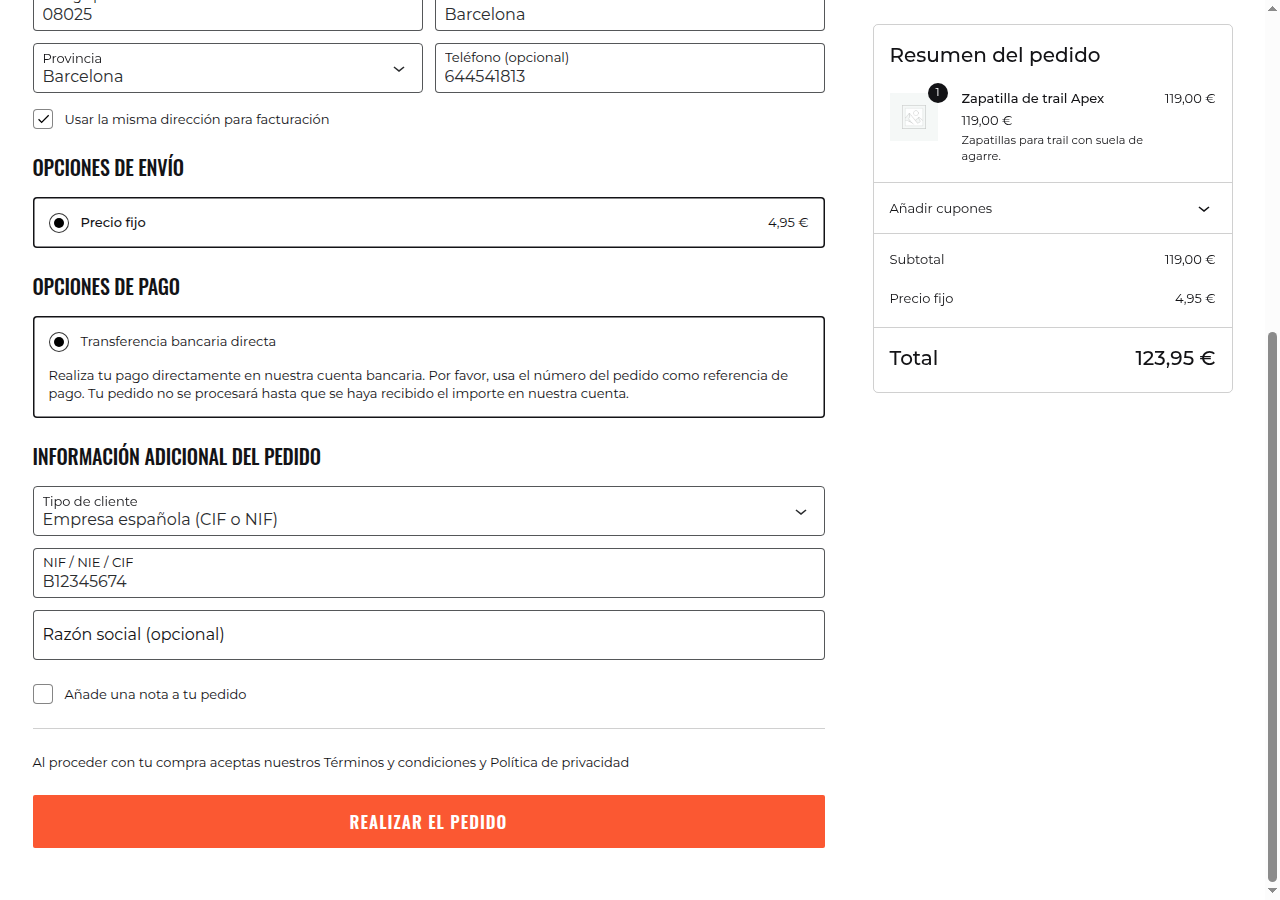
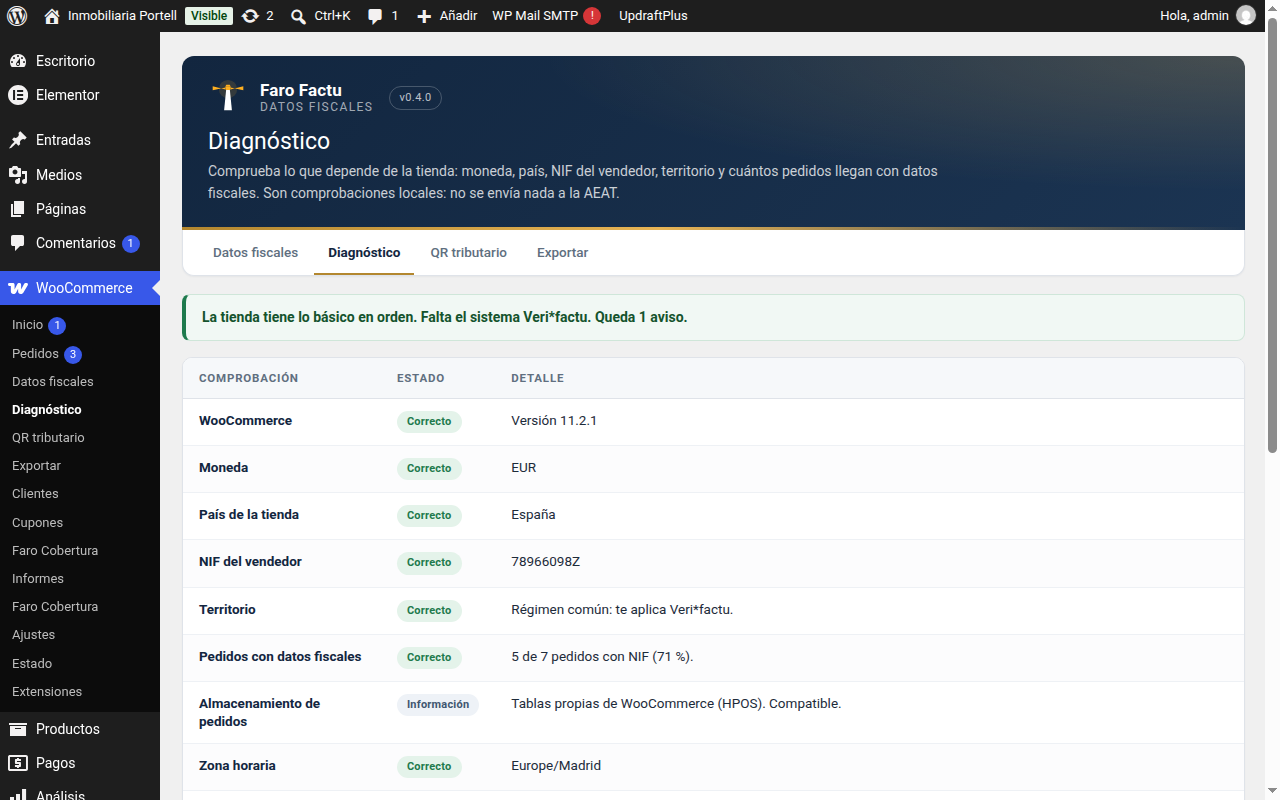
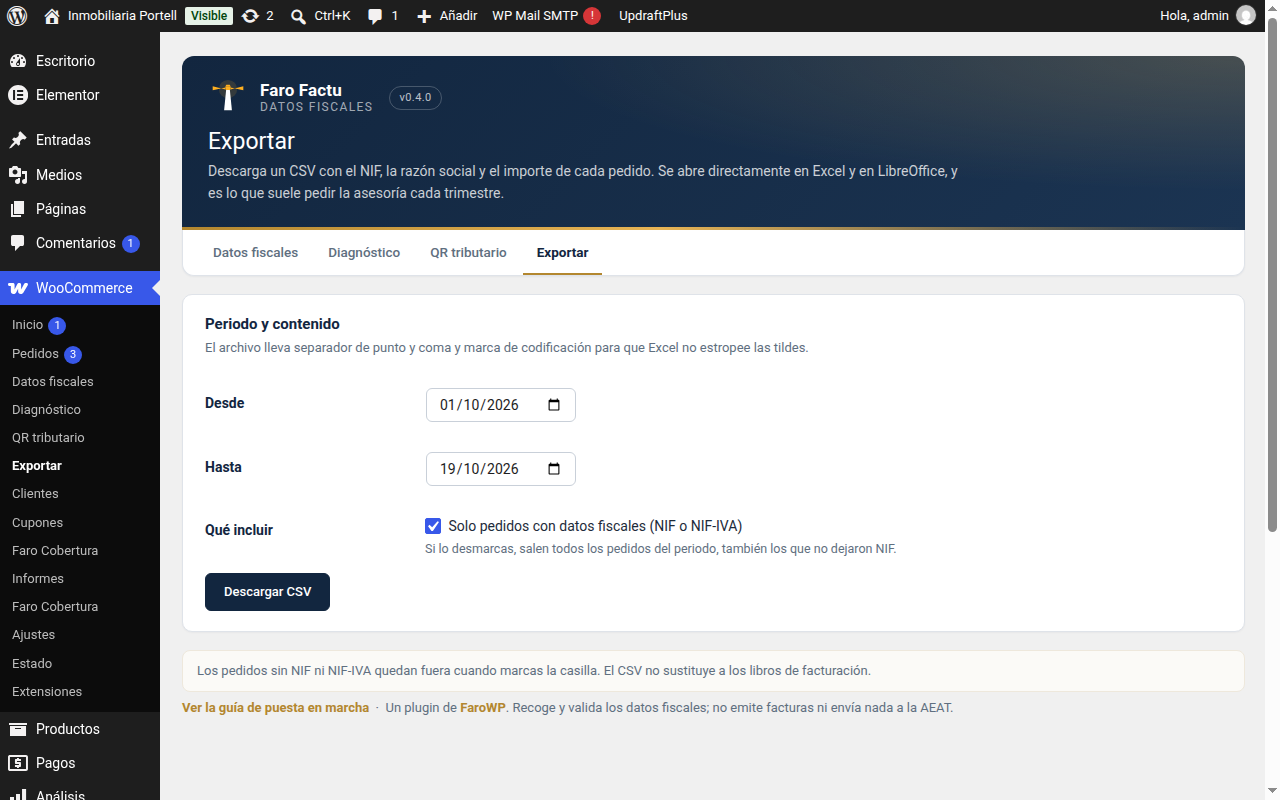
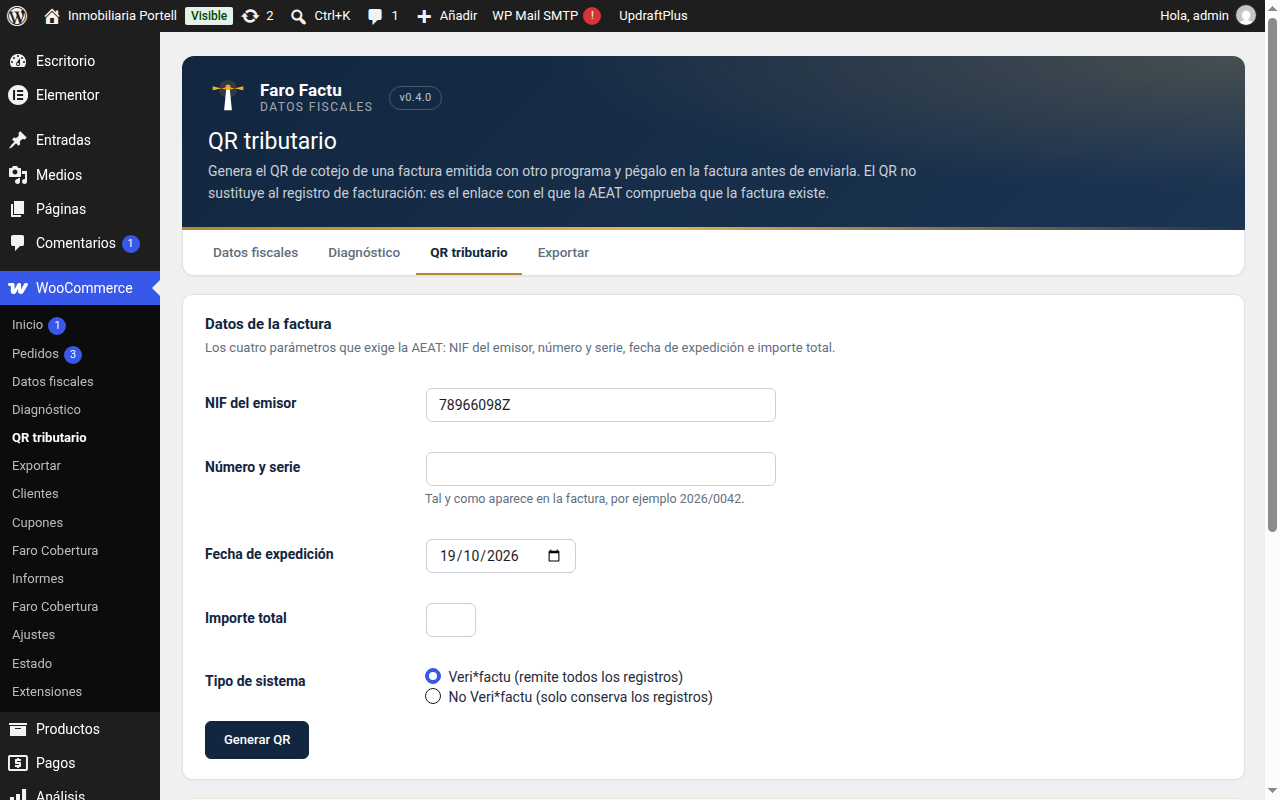
Screenshots from the test shop, with sample data.
FREE PLUGIN
Ask for the NIF, NIE or CIF at checkout and check whether it is valid with the AEAT algorithm, not with a regular expression. It collects and sorts the data of the order; it does not issue invoices and it sends nothing to the Spanish tax agency.
Download 0.4.0 (free) How it works, step by step
WordPress 6.2 or later · WooCommerce 8.0 or later · PHP 7.4 or later · GPL v2 or later licence · Classic and block checkout
It adds the tax fields the checkout is missing and makes sure that what the customer types is a valid document. It then leaves the data tidy inside the order, ready to be taken to your invoicing software.
What it does not do, and we say it plainly: it does not issue invoices, it does not number anything, it does not chain records and it sends nothing to the AEAT. That is Faro Factu SIF, which is another product. This is the plugin that collects the data and checks it.
Screenshots from the test shop, with sample data.
Plugins → Add New → Upload Plugin. You will also be able to search for «Faro Factu» in the installer once it is published on WordPress.org.
On activation a three-step guide appears: the shop tax ID, the territory and a check of what is still missing.
Place a test order and check that the tax ID reaches the order screen. If something does not add up, the diagnostic screen tells you.
No. It collects and validates the tax details of the order, nothing more. Issuing, numbering and sending to the AEAT belong to Faro Factu SIF.
Yes. You can leave the selector on «individual» and ask only for the DNI, or remove the field altogether. With the tax ID validated you avoid the typing errors that later have to be fixed by hand.
No. Everything stays in your database. There is no account, no server of ours and no calls to the internet.
You can make it required or not. If you leave it optional, the diagnostic screen tells you how many orders have no tax ID so that you can decide.
There is an «EU company» customer type that asks for the VAT number with the country prefix. That number is validated for format only: the VIES registration is still done wherever it belongs.
New versions, security notices and offers. Rare and useful: one email a month at most.
By signing up you agree to receive emails from FaroWP with news, new versions and offers. You can unsubscribe in one click at any time.

