A look inside
Screenshots from the test shop.
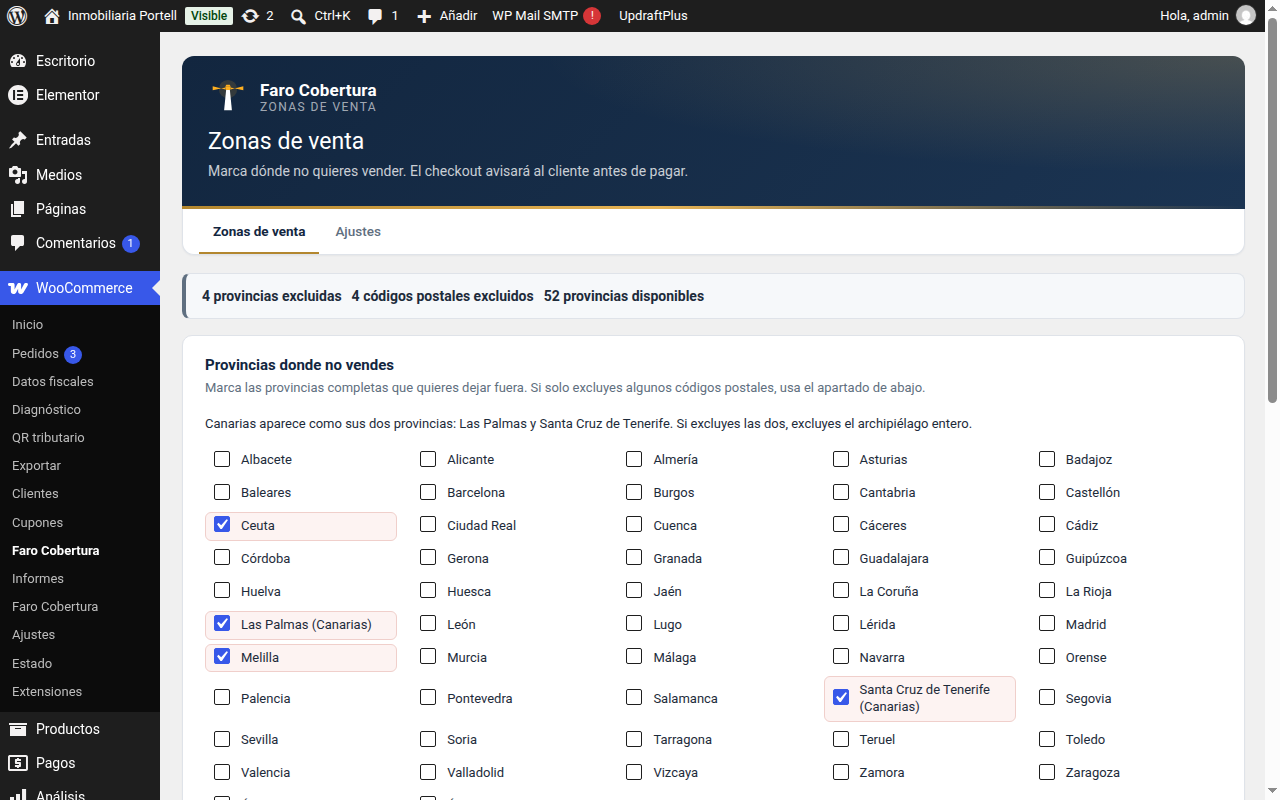
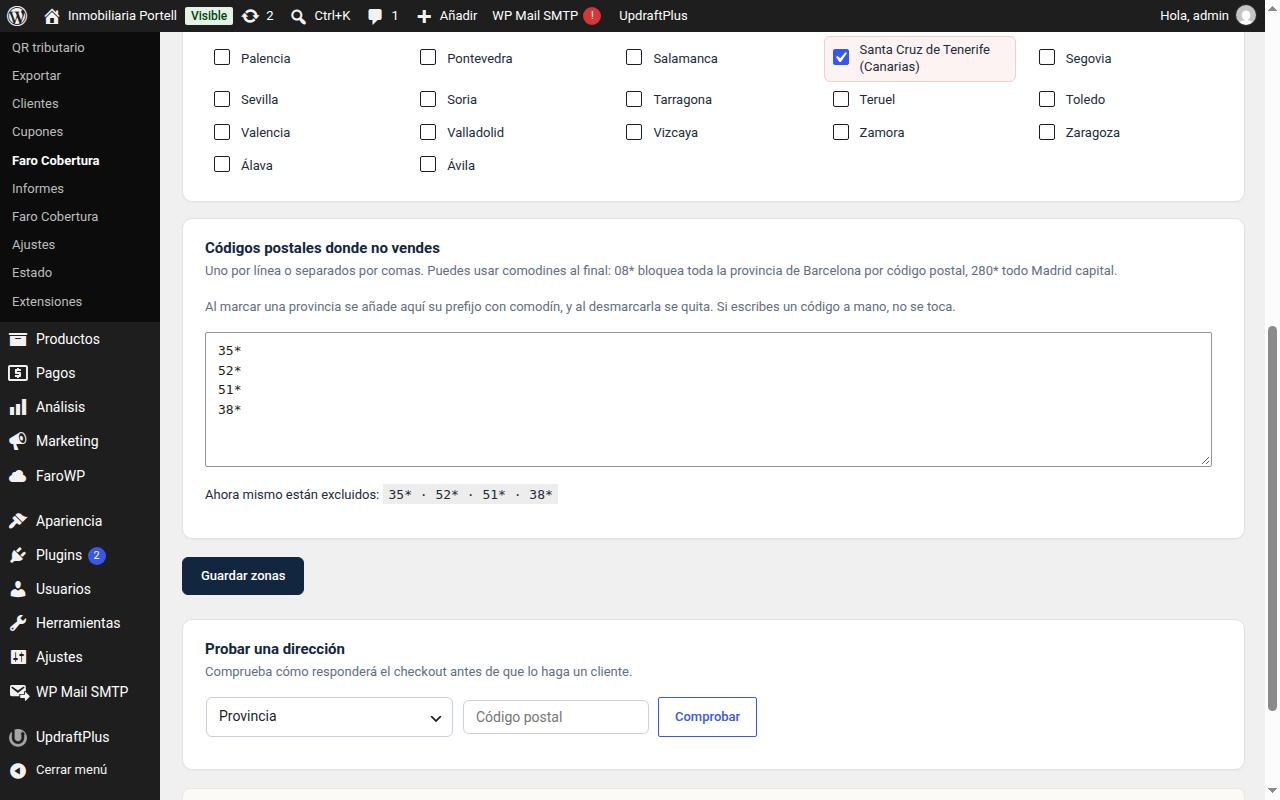
08* is the whole province.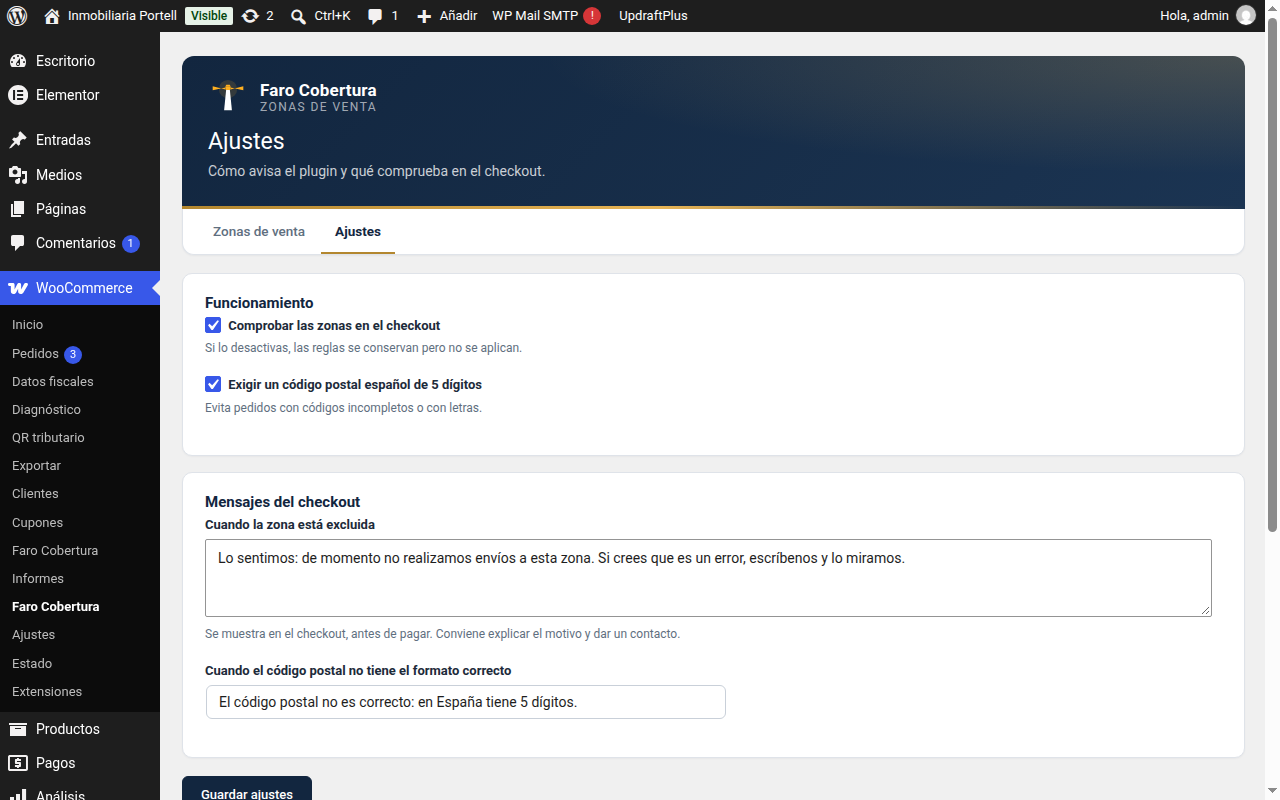
FREE PLUGIN
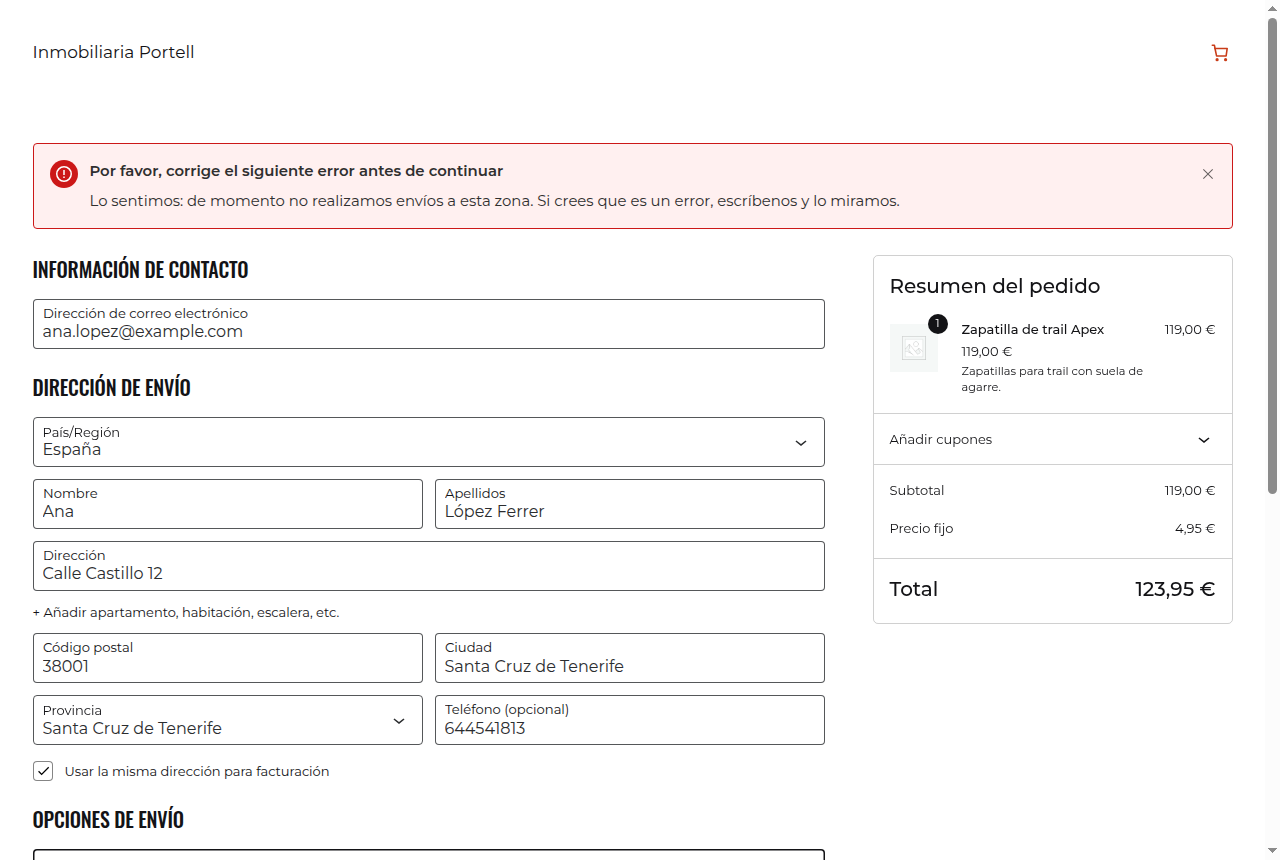
Pick the provinces and postcodes you do not deliver to. The checkout checks it and tells the customer, before they pay, that you do not reach their area.
Download 0.1.2 (free) See what it looks like
WordPress 6.2 or later · WooCommerce 8.0 or later · PHP 7.4 or later · GPL v2 or later licence · Spain out of the box
Mark where you do not sell and the checkout takes care of the rest: if the address of the order falls in an excluded area, the customer knows before paying and does not take the order home only to find out afterwards.
08* blocks the whole province of
Barcelona and 280* only Madrid city.It checks the billing address of the order, which is the same as the shipping address until the customer changes it. Spain comes out of the box; other countries are added with a filter.
Screenshots from the test shop.
08* is the whole province.
Plugins → Add New → Upload Plugin. A new menu appears inside WooCommerce.
Provinces where you do not sell and, if you need them, postcodes with a wildcard.
Enter an address from your area and one from outside it on the test screen and see what it says.
It blocks: the customer cannot finish the purchase if their address falls in an excluded area. The message tells them before they pay.
Yes, with wildcards. 08* excludes the whole province of Barcelona; 080*
excludes only the postcodes that start with 080.
The billing address is the one checked, and that is the one that counts in the order. If the customer unticks «use the same address», the billing address is still the one looked at.
Not out of the box. Countries are added with the faro_cobertura_paises filter. That is
the door the paid version uses.
New versions, security notices and offers. Rare and useful: one email a month at most.
By signing up you agree to receive emails from FaroWP with news, new versions and offers. You can unsubscribe in one click at any time.

