FaroWP

FREE PLUGIN

The foundations of your site, in one plugin

Cleanup, performance, admin, security, two-step verification and maintenance mode. Six modules you switch on one by one: whatever is off loads not a single line.

Download Faro Base 0.9.22 (free)

Version 0.9.22 · WordPress 6.5 or later · PHP 8.1 or later · GPL v2 or later · No account, no keys and no third-party services.

What it does, in one sentence

It takes away the weight WordPress carries out of the box, prevents the usual scares and leaves the admin the way it should have shipped.

Six things almost every site ends up solving with six different plugins. Faro Base brings them in one, with its own screen showing what is on, which rules are working and what changed. Each module has a switch, and when it is off not a single line of its code is loaded.

The six modules

Cleanup

What WordPress puts in the HTML and almost nobody uses.

  • No emoji script, no oEmbed script
  • No generator tag
  • No shortlinks, RSD or WLW
  • No Dashicons for visitors who are not logged in

Performance

Four settings with numbers, not promises.

  • Heartbeat every 60 seconds
  • Revisions capped at 5 per post
  • No medium_large, 1536 or 2048 px on new photos
  • jQuery Migrate out of the public site

Admin

A slightly more useful dashboard, every day.

  • ID column on posts and pages
  • Sortable last-modified column
  • Faro Base signature in the footer
  • PHP version in plain sight

Security

What stops most automated scans.

  • WordPress version hidden in HTML and assets
  • XML-RPC and pingback closed
  • Plugin and theme file editor disabled
  • ?author=N and the user list closed to guests
  • Four security headers on the public site
  • Lockout after repeated failed logins

Two-step verification

Standard TOTP, no accounts and no services.

  • 6-digit code, 30-second window
  • Each user turns it on in their own profile
  • QR drawn in your browser: the key never leaves your server
  • 10 single-use backup codes
  • Application passwords cannot skip the second factor

Maintenance

Closes the site without closing the door on you.

  • Notice screen with your own title and message
  • Private bypass link to get in while it is closed
  • End date: it opens itself
  • Works with WooCommerce coming-soon mode

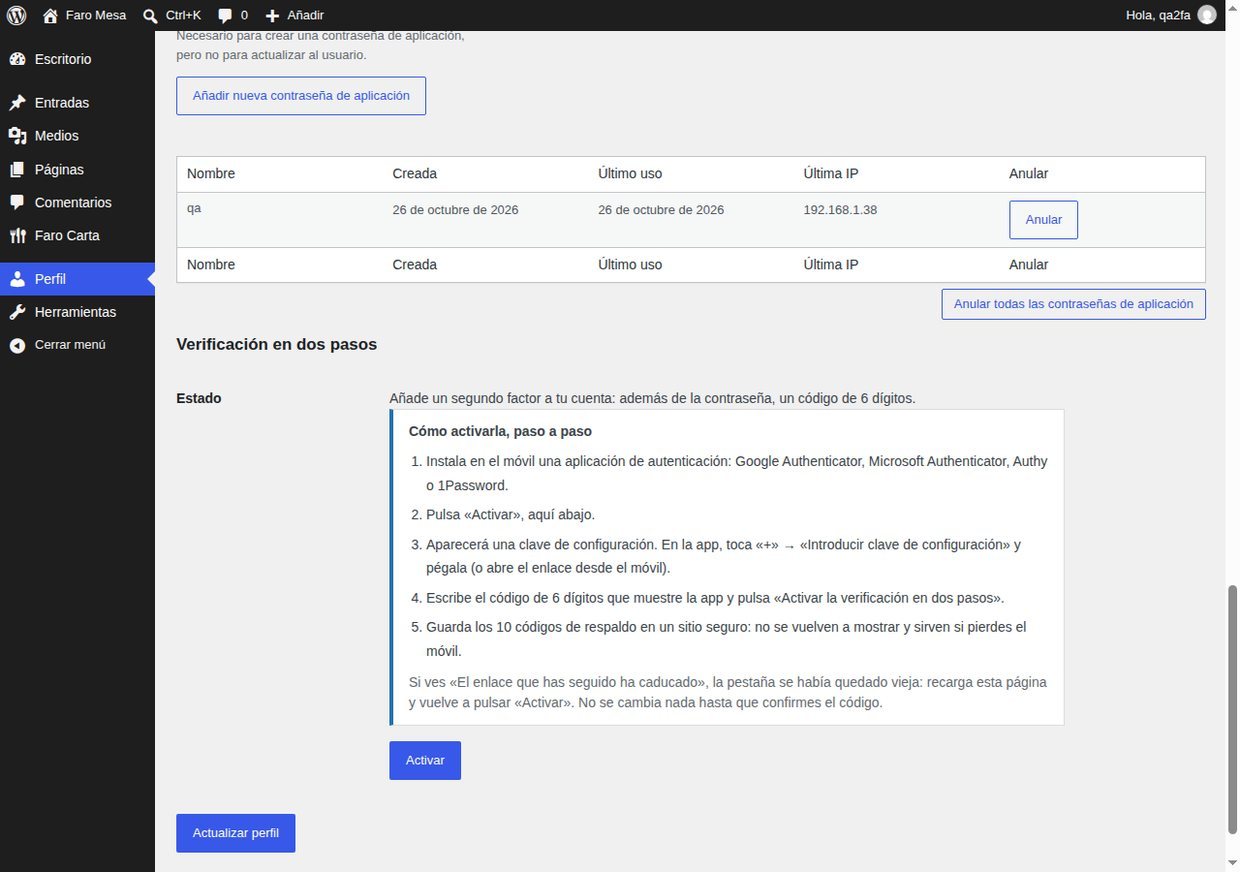
Two-step verification, step by step

It is turned on in each user's profile, not in the settings. Five steps and ten backup codes.

Install an authenticator appGoogle Authenticator, Microsoft Authenticator, Authy or 1Password. Any will do: the code is standard TOTP.
Open your profile and press “Activate”In the “Two-step verification” block, inside your own profile.
Copy the key or the linkThe screen shows the key as text and an otpauth:// link to paste into the app.
Scan the QR codeThe QR is drawn in your browser, so the key never travels to a third-party service.
Confirm with a code and save the backupsOnce confirmed you get 10 single-use codes. Store them: they are never shown again.

Turning it off requires a valid code: pressing a button is not enough. And if you lose it, the application password route is closed too, which is exactly the point.

What it looks like inside
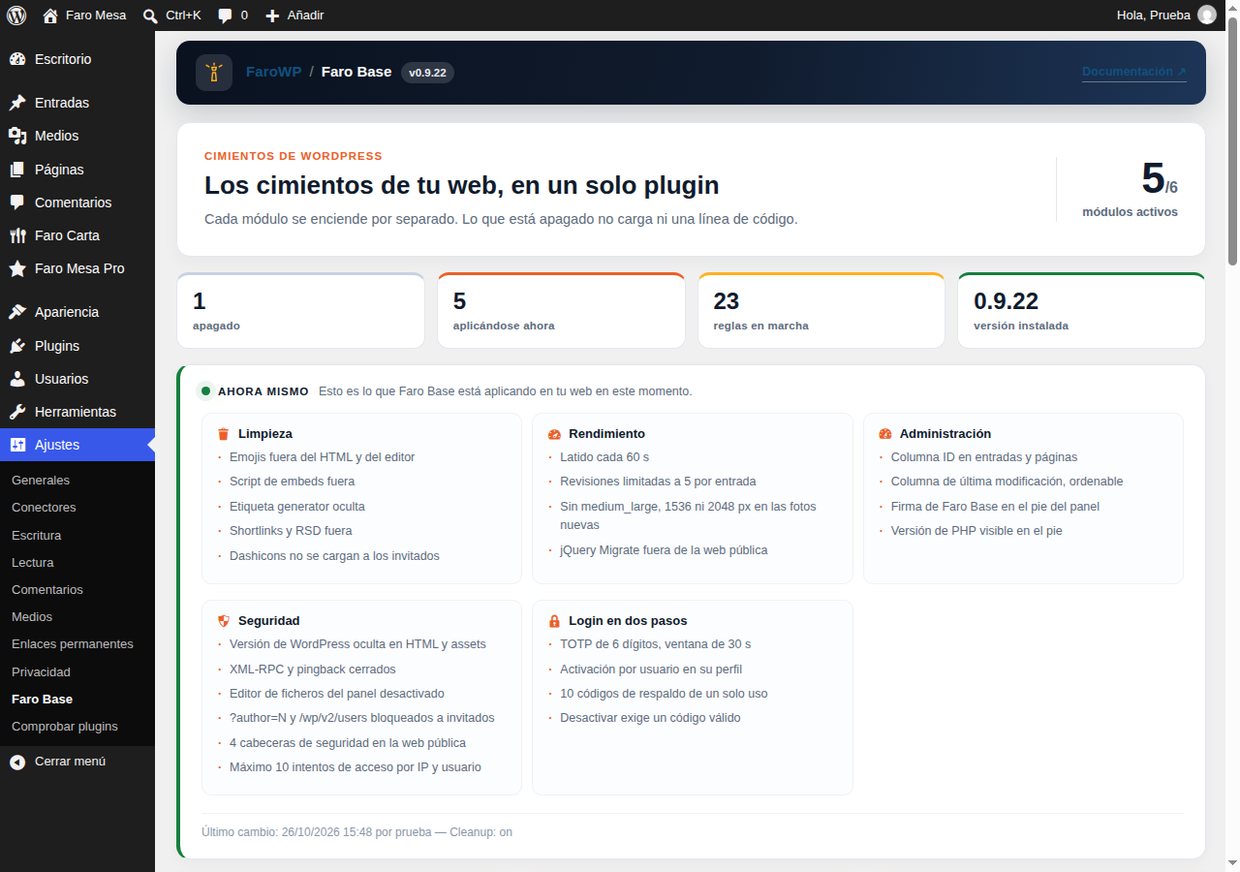
The Faro Base panel with today’s figures, the active rules and the six module cards
The panel: what is on, how many rules are working and what changed.
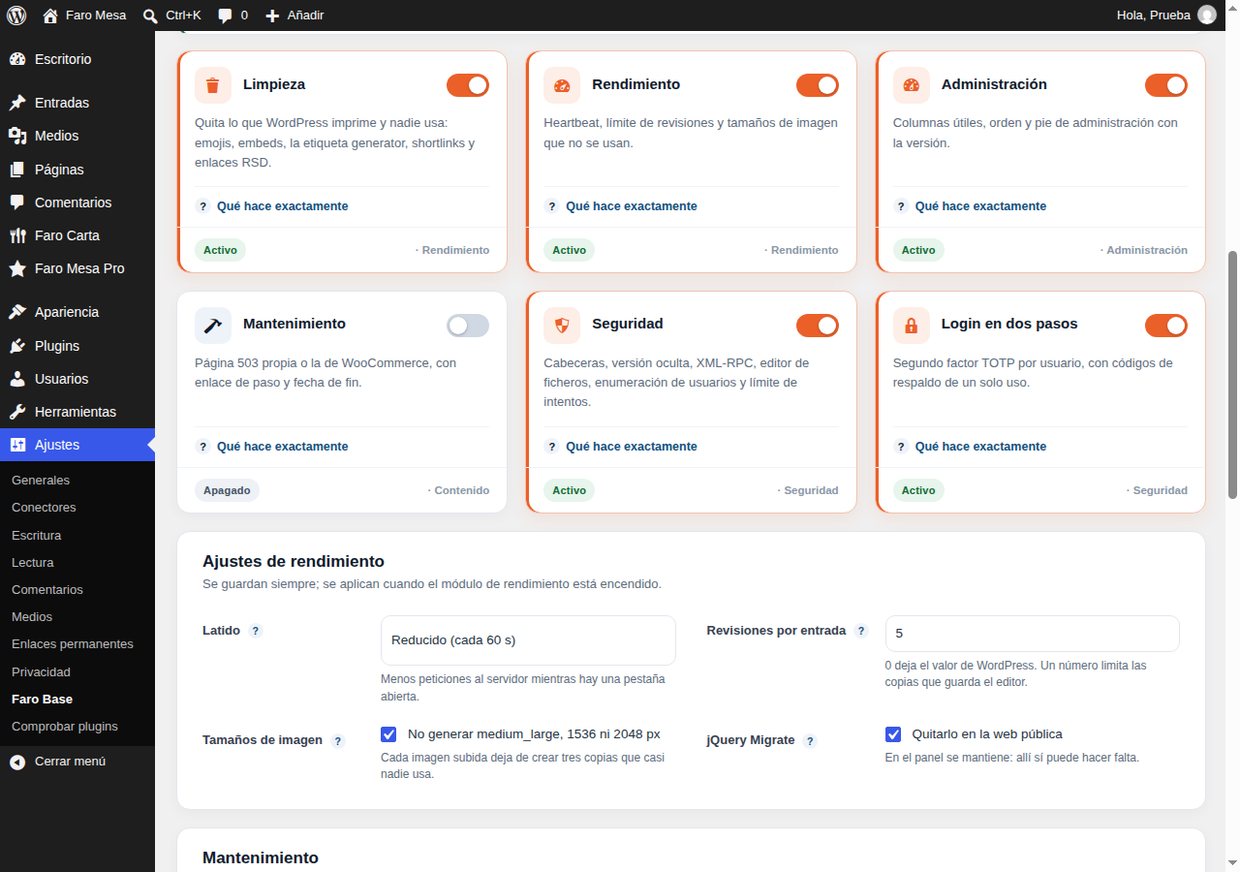
The six module cards with what each one does
Each module tells you what it does before you switch it on.
The two-step verification block in the profile, with the five steps and the Activate button
Activation in the profile: the five steps, before the key is created.
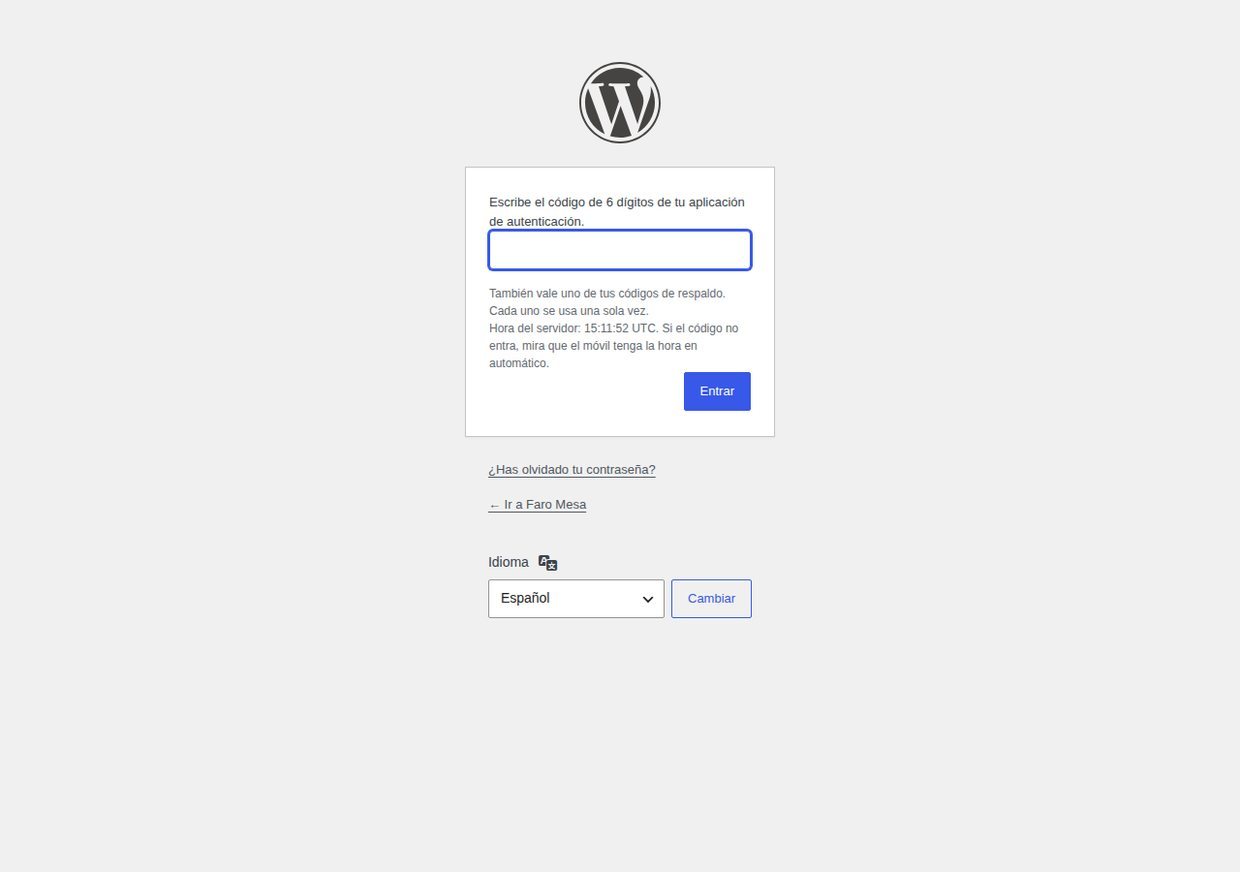
The six-digit code screen at login
At login: the password alone is not enough, the code is required.

What it does not do

It is not a firewall, a cache or a backup plugin. It does not replace Wordfence, a CDN or a backup: if your site goes down, Faro Base will not bring it back.

It is not a metrics dashboard or a user manager either: it does not create accounts, change passwords or send email. And it does not touch the database beyond what it needs to store its own settings and its change history.

Download

Faro Base 0.9.22 (free, GPL)

Install it from Plugins → Add new → Upload plugin, or search for it in the WordPress.org directory. The SHA-256 fingerprint of the package is in faro-base-0.9.22.zip.sha256.

Requirements: WordPress 6.5 or later and PHP 8.1 or later. Tested up to WordPress 7.1.

Subscribe to our newsletter

We tell you what ships by email: new versions, security notices and offers. One email a month at most.

By signing up you agree to receive emails from FaroWP with news, new versions and offers. You can unsubscribe in one click at any time.

English