What it looks like
FREE PLUGIN
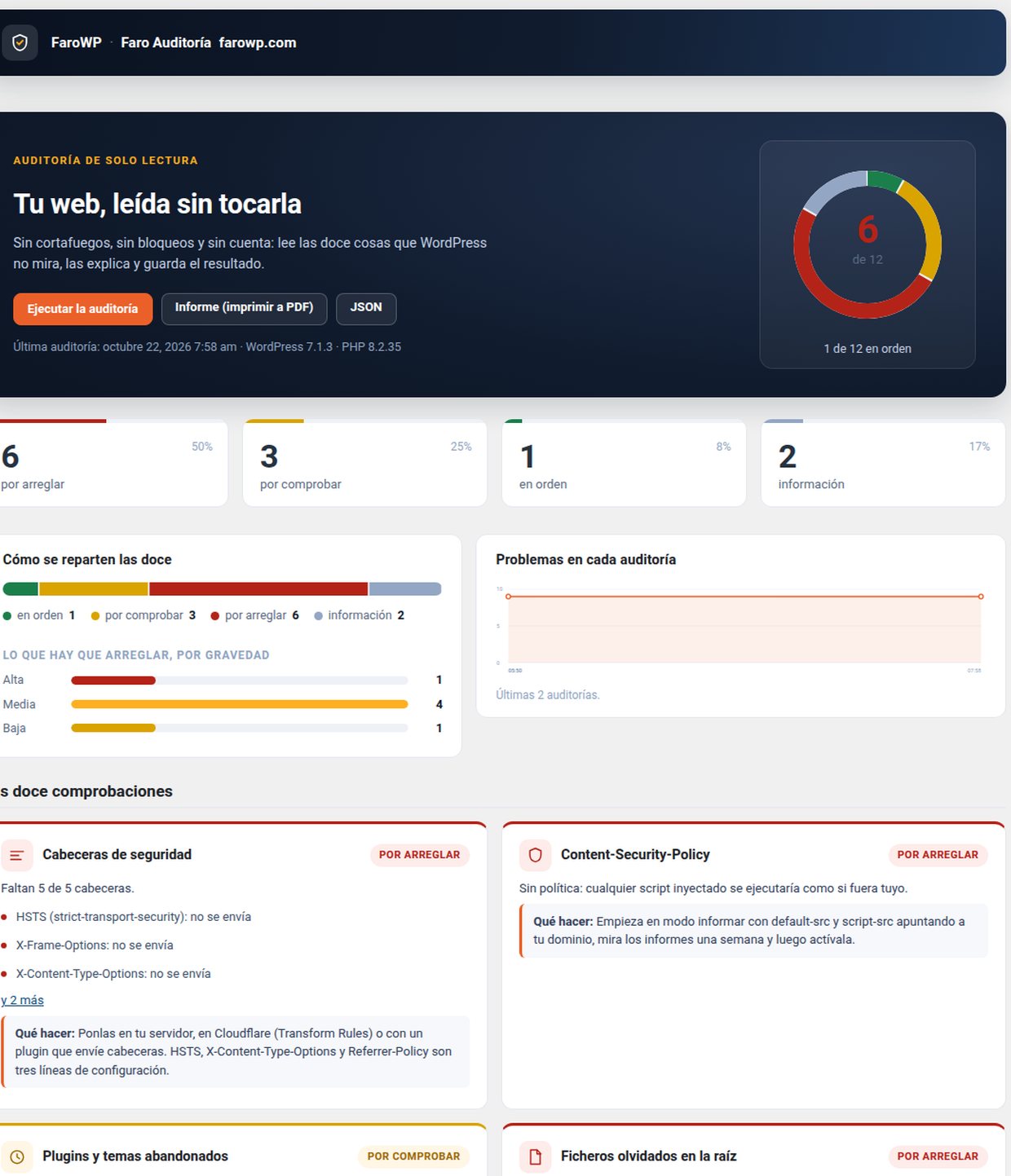
Twelve checks Site Health does not do: headers, XML-RPC, users, forgotten files, abandoned plugins and permissions. Every finding is explained and the history is kept.
Download Faro Auditoría 0.1.0 (free)
Version 0.1.0 · WordPress 6.5 or higher · PHP 8.1 or higher · GPL v2 or later · No account, no keys.
It reads your installation, tells you what is wrong and what to do, and keeps the result so you can see what changed since last time.
WordPress already ships Site Health, and it does twenty-five things well. This plugin does not repeat them: it looks at the twelve it does not, explains each one and touches nothing. It is safe to run on a live site because it neither writes nor blocks.
.git/config, .env, wp-config.php.bak, debug.log, backup.sql, backup.zip and readme.html.wp_, with an honest note: it is convenience, not a hole.wp-config.php and the root.Every check says one of three things: OK, to fix or to check. The third one is the important one. Many sites answer 200 to every address (a page builder, a proxy, an access screen): the plugin then says «I could not check it» instead of inventing a critical finding.
A false alarm in the first five minutes is the fastest way to lose a user.
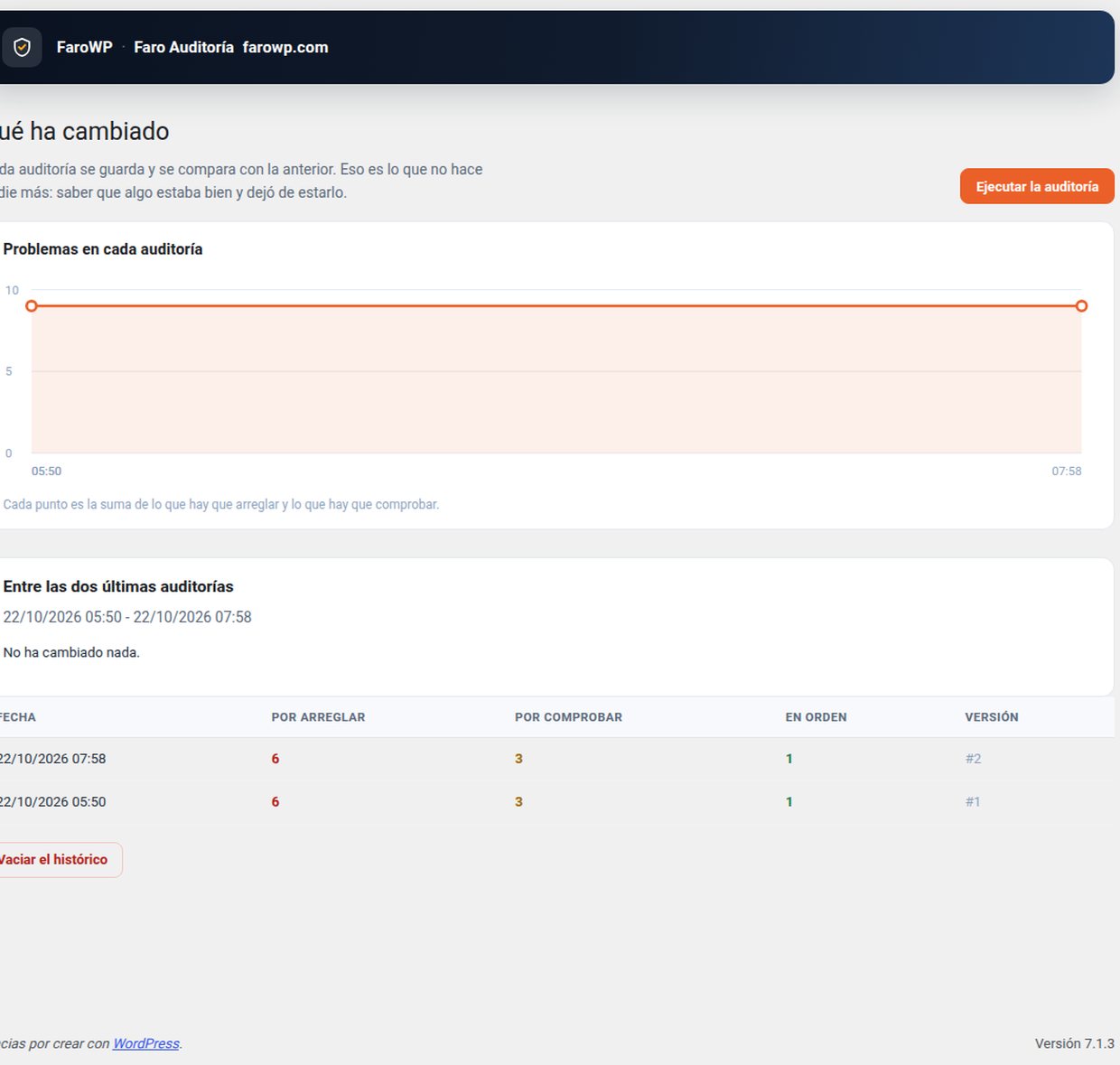
Every audit is stored and compared with the previous one: «this was fine and stopped being fine», with dates. You see the differences per check and how the number of problems moves. No other free plugin does that.
The report downloads as JSON or as a printable HTML page (print to PDF from the browser). It includes what was found, why it matters, what to do and the date of every data point.
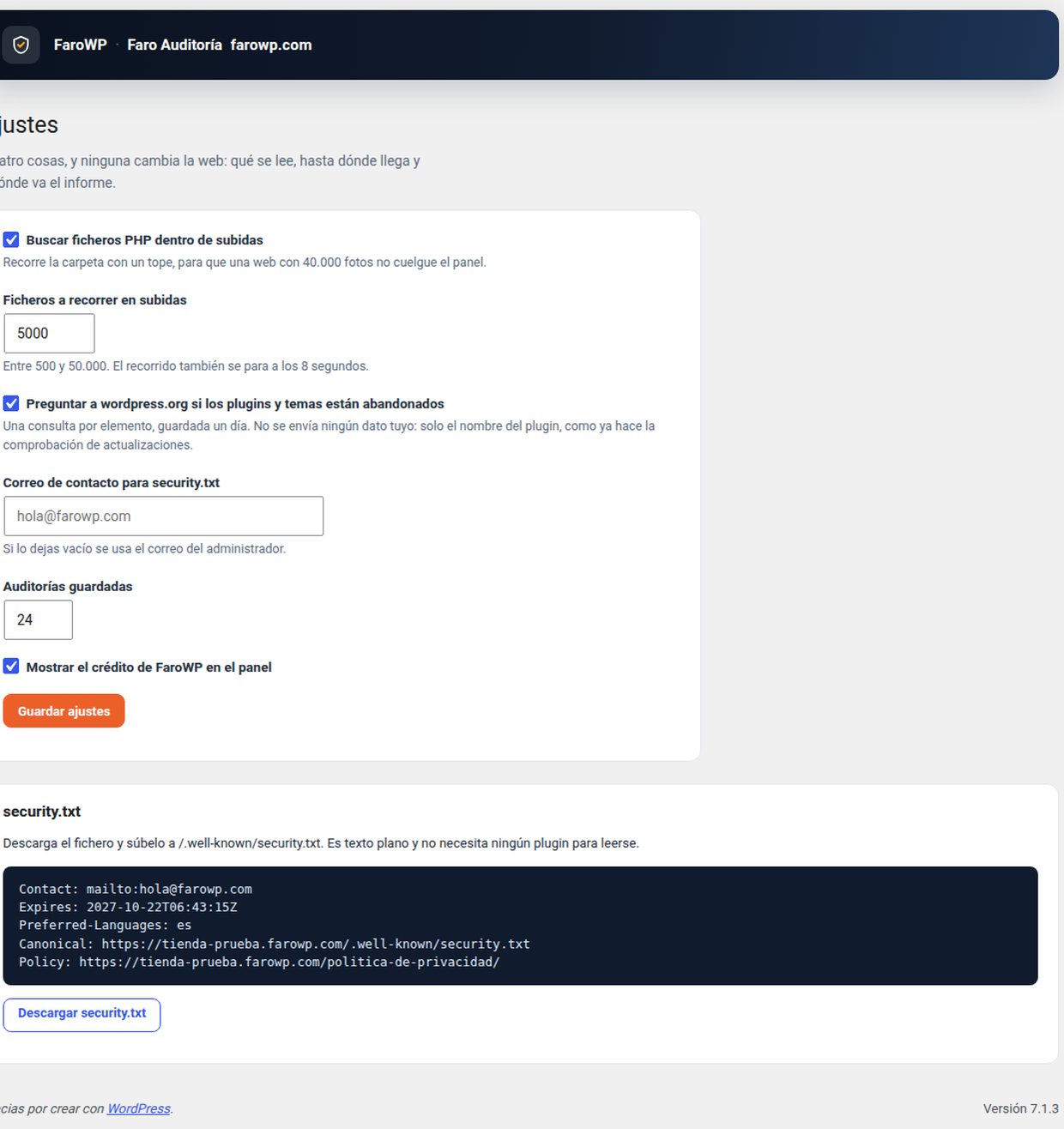
Privacy: it sends no data anywhere. The only external requests go to api.wordpress.org, once per installed plugin and theme, to ask for the last update date: the same request WordPress already makes when it checks for updates.
Faro Auditoría 0.1.0 (free, GPL)
Install it from Plugins → Add New → Upload Plugin. It is also in the WordPress.org directory.
We tell you what ships by email: new versions, security notices and offers. One email a month at most.
By signing up you agree to receive emails from FaroWP with news, new versions and offers. You can unsubscribe in one click at any time.

